
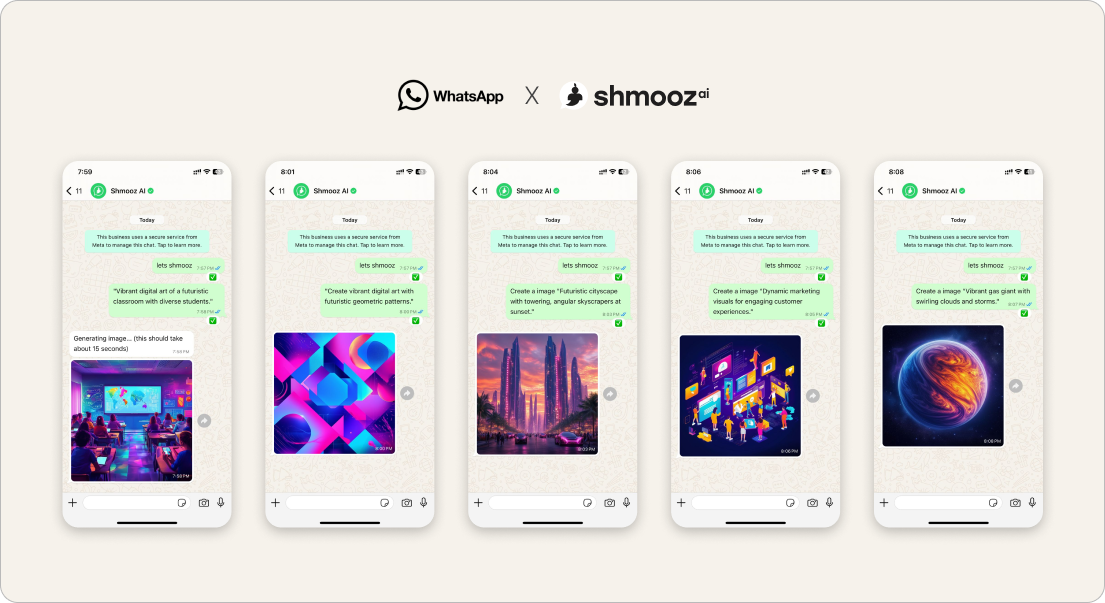
Searching keep creating free AI images on WhatsApp usually means the first picture already landed — and you want another one without being lied to about “unlimited” or “no daily image limit.” Product reality from Israel: day-zeros often get a real first job (a reminder, then an image) — then trust breaks when the chat claims free images are unlimited while free credits are already gone, or jokes that you’re “not really at the limit” when you paste the paywall text.
This door names the honest soft-land: ask how many free image creates remain, then keep creating one more picture — or keep editing the wow you already have. When free hits zero and you still want pictures, soft-land a small image pack — not a yearly plan thrash (Analyst Sep 2). Sibling to generate AI images (first create) and Meta AI free limit (Meta’s wall, not ours).
Shmooz is an AI assistant inside WhatsApp. Not Meta, not WhatsApp Support. Free turns and free image creates are limited. We never invent unlimited free forever — and we don’t burn your trial on recipe/research clarifying chats with no photo wow.


Keep creating — ask what’s left
After the first image wow, ask how many free image creates remain — then make one more picture or keep editing. We never claim unlimited free images.
How to keep creating with honest free limits
- Open Shmooz on WhatsApp and save the chat.
- Do one real first job if you haven’t: a short remind me, then ask for one clear AI image (subject + style).
- After the first wow, ask: “How many free image creates do I have left?”
- Use what remains: one more create or keep editing that image — don’t spray recipe prompts or empty research loops.
- When free image creates hit zero, soft-land a small image pack — keep creating / keep editing with that pack, never “unlimited” denial or a silent yearly plan dump.
Prompts that protect trust
- “Create one image of… [subject], [style]. How many free creates left after this?”
- “Keep creating — same idea, brighter background. How many free images remain?”
- “Keep editing this photo — softer light only.” (refine beats a wasteful new create)
- “Out of free AI images — buy a small image pack and make one more product shot.”
Not the same as other image doors
- Keep creating (honest free) — this page: remaining free creates named; no unlimited claims
- AI image pack — free creates gone; small pack, not plan thrash
- Generate a new AI image — clear brief → one create, no multi-choice menu
- Generate AI images — first create how-to
- Keep editing this photo — refine the last image without re-send
- Edit personal photos — careful private keep-editing
- Edit photo with voice — speak the next tweak
- Marketplace ad design — commercial poster path
- Meta AI free limit — Meta’s daily wall, not Shmooz’s balances
Related first-day jobs
- WhatsApp AI reminders — often the job before the first image
- Summarize a PDF — day-two keep creating after a docs wow
- Draft WhatsApp replies — don’t spend the whole free trial on images only
- Animate this photo — motion when you want a clip, not another still
Keep creating — ask what’s left
After the first image wow, ask how many free image creates remain — then make one more picture or keep editing. We never claim unlimited free images.
FAQ
Are free AI images on WhatsApp unlimited?
No — not with Shmooz, and not honestly with most assistants. Free creates and free messages are limited. Ask for the remaining count; don’t trust “no daily image limit” when the paywall already fired.
What should I do after the first image wow?
Ask remaining free creates, then either keep creating one more clear picture or keep editing the same image. When free hits zero, soft-land a small image pack — avoid recipe/research clarifying loops and yearly-plan thrash.
Is this Meta AI?
No. Shmooz is a separate AI chat inside WhatsApp. Meta has its own free limits — see Meta AI free limit.

ALL Systems Operational