
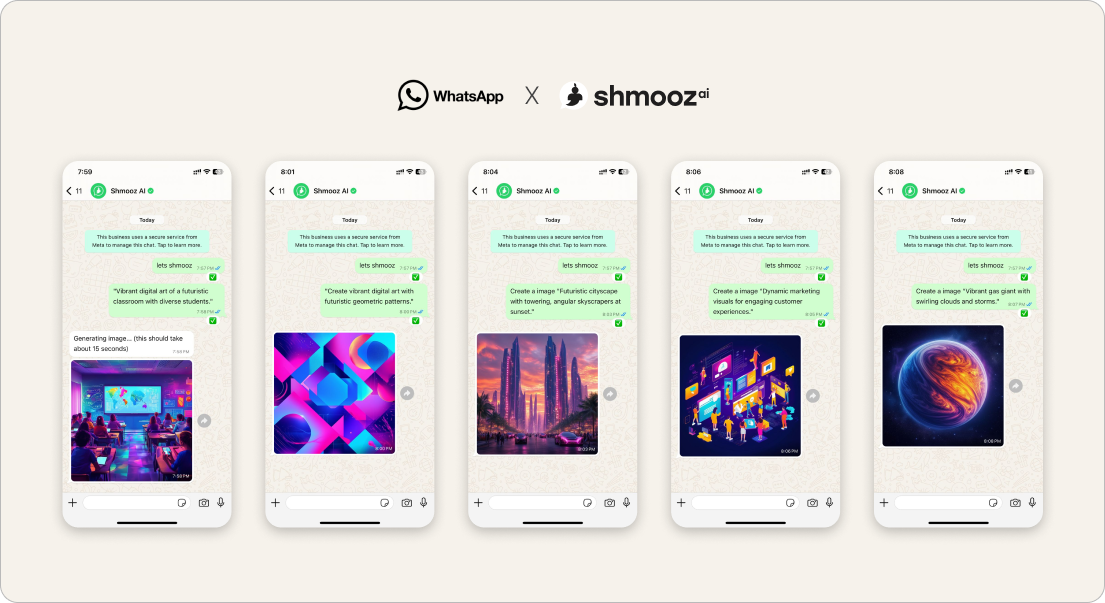
Searching generate a new AI image on WhatsApp usually means one job: a brand-new picture from a clear brief — not “pick a feature from this menu,” and not “keep editing the last look.” Product reality (Aug 27): a converting US binge path asked for a clear new image mid-session and got a multi-choice menu instead of a generate. That friction stalls the create that people already paid (or are about to pack) for.
This door names the honest soft-land: one clear subject + style → generate. Sibling to keep creating with honest free limits (after the first wow), keep editing this photo (refine last), and animate this photo (motion + packs at desire).
Shmooz is an AI assistant inside WhatsApp. Not Meta, not WhatsApp Support. Free image creates are limited — never unlimited free forever. Video uses separate credit packs when you clearly want motion.


Generate a new image — clear brief, no menu
Want a brand-new AI picture? Send one clear subject + style. The chat should generate — not dump a multi-choice feature menu. Animate later if you want motion.
How to generate a new image without a menu tax
- Open Shmooz on WhatsApp and save the chat.
- Send one clear brief: subject + style + any must-haves (e.g. “product on white, soft daylight, square”).
- If you already have a look and only want a tweak, say keep editing this photo instead — don’t force a brand-new create.
- After the first wow, ask how many free creates remain — then keep creating or keep editing honestly.
- Want motion? Say animate this photo once — packs soft-land at desire and again if video credits hit zero.
Prompts that should run (not open a menu)
- “Generate a new image: ceramic mezuzah on walnut shelf, soft morning light, square crop.”
- “New picture — same product, brighter background, no text in the image.”
- “Any clear product photo for this listing — white background, centered.”
- After a docs wow: “Next: one new AI image for that summary — clear brief, no menu.”
Not the same as other image doors
- Generate new (clear brief) — this page: brand-new still, no multi-choice menu
- Generate AI images how-to — broader first-create guide
- Keep creating — remaining free creates named
- Keep editing — refine the last image
- Edit personal photos — careful private loops
- Photo to video / animate — motion + packs
- Marketplace ad design — commercial poster path
Related jobs
- Summarize a PDF — then day-two keep creating one honest image
- Reminders — strong first job before the first image
- Meta AI free limit — Meta’s wall vs our honest balances
Generate a new image — clear brief, no menu
Want a brand-new AI picture? Send one clear subject + style. The chat should generate — not dump a multi-choice feature menu. Animate later if you want motion.
FAQ
Why did I get a feature menu instead of an image?
You shouldn’t when the brief is already clear. A named subject + style should generate. If the chat offers a multi-choice catalog instead, that is a product leak — this page is the SEO soft-land for the create job.
New image vs keep editing?
New image = brand-new still from a prompt. Keep editing = change the last photo without re-sending. Use the door that matches the ask.
Are free AI images unlimited?
No. Ask remaining free creates after the first wow — see keep creating. Video packs are separate when you animate.

ALL Systems Operational