
WhatsApp without saving number
You have someone’s number, and WhatsApp is already on your phone. You want the chat without adding them to contacts. That is this page. It is not a WhatsApp account with no phone number of your own.
- Write the number as the country code plus the number, with no plus sign, no spaces, and no leading zero. The link looks like https://wa.me/972501234567. That example is not a person, not Shmooz, and not a support line.
- Open the link in the phone’s browser, or in the browser already linked to WhatsApp Web. Tap Continue or Open.
- The chat opens. Type the message and send it. If WhatsApp offers to create a new contact or add the number to an existing contact, close that. Saving is a separate tap.
- If New chat inside the app only lists your contacts, leave it and use the link. A chat already in the list with only the digits was never saved — open that one. Do not install a second WhatsApp or an APK to skip the save.
The same steps are in Hebrew and Arabic. Shmooz is a separate AI chat inside WhatsApp. It does not send this message for you, and it is not WhatsApp Support.

WhatsApp is one of the most popular messaging platforms worldwide. People use it to communicate with family, friends, and businesses. But one feature that many find inconvenient is the need to save a contact’s number before sending them a message. Luckily, there are ways to message on WhatsApp without saving a number. In this article, we will explain some methods how you can send WhatsApp messages without saving the contact number.
Why send WhatsApp messages without saving the contact?
Before diving into the methods, it’s helpful to understand why someone might prefer not to save a contact number. Sometimes you just need to message someone once or twice, like when you're getting food delivered or talking to customer service. It doesn't make sense to keep their number forever, right?
Also who wants a phone full of random contacts? When your contact list gets too crowded, it becomes a real headache trying to find the people you actually need to reach. Keeping it clean just makes life easier.
There is also the privacy thing. Maybe you're not totally comfortable saving the number of someone you barely know or a business you'll probably never contact again. That's totally fair - the less personal info you share around, the better!
Read more : how to listen to whatsapp audio without blue tick
Method 1: Using WhatsApp’s Click-to-Chat Feature
WhatsApp offers a feature called “Click-to-Chat” that allows you to message someone without saving their number. It uses WhatsApp’s API link. Here’s how you can use it:
Step 1: Open Your Browser
On your phone or computer, open any web browser like Chrome or Safari.
Step 2: Type the URL
In the address bar, type the following: https://wa.me/NUMBER. Replace “NUMBER” with the full phone number of the person you want to contact, including their country code. For example, if the number is in the U.S., it should look like https://wa.me/15551234567 (no spaces or special characters).
Step 3: Press Enter
Once you hit enter, you’ll be redirected to a page with a button saying, “Continue to Chat.”
Step 4: Start Messaging
Click on the button, and WhatsApp will open a chat window with that number.
This method is simple and doesn’t require any third-party apps. However, it’s more suitable for occasional use.
Read more : Tips to Unblock Your Blocked WhatsApp Account

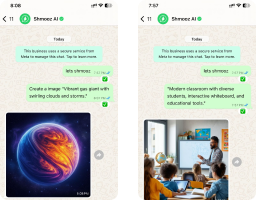
Enhance Your Communication with WhatsApp Ai
Create images, Make PDF summaries, and translate massages Upgrade your conversations today!
Method 2 : Using Third-Party Apps
If you frequently send messages without saving numbers, third-party apps can make the process quicker. Here are some popular options:
Shortcuts on iOS
iPhone users can use the “Shortcuts” app to create a quick action for messaging unsaved numbers.
Open the Shortcuts app and create a new shortcut.
Add the URL https://wa.me/NUMBER as the action.
Replace “NUMBER” with the phone number placeholder.
Save and name the shortcut for easy access.
Android Apps
Apps like “Click to Chat” or “Direct Message for WhatsApp” are available on the Google Play Store.
These apps provide an interface where you can enter the phone number and directly open a WhatsApp chat.
Always check reviews and ratings before downloading to ensure safety.
Method 3 : Using WhatsApp Business Tools
If you are a business owner or frequently use WhatsApp for professional purposes, WhatsApp Business offers tools to simplify communication:
Quick Replies
Save templates for common responses and use them when messaging new customers.
QR Codes
Generate QR codes that link to your WhatsApp chat. Anyone who scans it can message you without saving your number.
This option is especially useful for businesses that interact with many customers daily.
Method 4 : WhatsApp Web or Desktop
You can also send messages without saving contacts using WhatsApp Web or the desktop app:
Step 1: Open WhatsApp Web or Desktop
Open WhatsApp Web or the desktop app on your computer.
Step 2: Use the Click-to-Chat URL
Use the “Click-to-Chat” URL as described earlier.
Step 3: Paste the Link
Paste the link into your browser and press enter.
Step 4: Start Messaging
Your WhatsApp account will open the chat directly, and you can start typing your message.
Conclusion
Sending WhatsApp messages without saving a contact number is easier than you might think. Whether you use the Click-to-Chat feature, third-party apps, or WhatsApp Business tools, these methods save time and keep your contact list clean. Always remember to use these techniques responsibly to ensure a smooth experience on WhatsApp.
Enhance Your Communication with WhatsApp Ai
Create images, Make PDF summaries, and translate massages Upgrade your conversations today!
WhatsApp without saving number
These answers are for messaging someone without saving their number. A WhatsApp account with no phone number at all is a different question.
How do I WhatsApp without saving a number?
Open wa.me, then the country code and the number, with no plus sign and no spaces. WhatsApp opens the chat. Close the create-contact sheet if it appears. Your own WhatsApp still needs the phone number it was registered with.
Does the wa.me link save the contact?
No. The link only opens the chat. The contact is saved if you tap create new contact or add to an existing contact. Skip that tap.
Can I message from inside the app without the link?
New chat often opens your contact list and asks you to save a person. If it does, use the wa.me link instead. A chat already titled with only the digits is an unsaved number: open it from the chat list.
Is this WhatsApp with no phone number at all?
No. You still need your own number, the one that received the registration code. We do not give out a number, and we do not open a second account. Messaging someone without saving their number is a different question.
Does Shmooz send the message?
No. Shmooz is a separate AI assistant inside WhatsApp. It does not message that person for you, and it is not WhatsApp Support.
Recommended articles for you!

How to Listen to a Voice Message on WhatsApp Without Showing Blue Ticks
Listen to WhatsApp voice messages without blue ticks! Here are easy methods to avoid arguments and keep your privacy. Learn more now

What is Meta AI and Its Impact on Social Media Experience
Discover what is Meta AI and how it transforms social media with smart chatbots offering personalized support, instant help, and global access.

How to activate spell checker in WhatsApp
Using spell checker in whatsapp will help you to write with better spelling when talking to your contacts on WhatsApp. Let us explain how to activate ...

ALL Systems Operational