
Yes. You can listen to a WhatsApp voice note or voice message before you send it. Hold the microphone and slide up to lock hands-free recording, then tap Pause and tap Play. If you let go of a press-and-hold, WhatsApp sends the message. The preview is that draft.
How to listen before you send on Android
- Open an individual or group chat.
- Tap and hold the microphone, then slide up to lock hands-free recording.
- Start speaking. If the beginning is missing, wait a second before you speak.
- When you finish, tap Pause. If you let go of a press-and-hold instead, WhatsApp sends the message.
- Tap Play to listen. You can also tap, hold, and drag any part of the recording to play it from that point.
- Tap the trash icon to delete the draft, tap the microphone to continue the same voice message, or tap Send. The send article calls that continue control Microphone Resume and shows it as a red microphone. While you are still holding the microphone, slide left to cancel.
How to listen before you send on iPhone
- Open an individual or group chat.
- Tap and hold the microphone, then slide up to lock hands-free recording.
- Start speaking. If the beginning is missing, wait a second before you speak.
- When you finish, tap Pause. If you let go of a press-and-hold instead, WhatsApp sends the message.
- Tap Play to listen. You can also tap any part of the recording to play it from that point.
- Tap the trash icon to delete the draft, tap the microphone to continue the same voice message, or tap Send. The send article calls that continue control Resume. While recording, slide to cancel and delete.
Delete the draft or record it again
On the preview, the trash icon deletes the draft. On Android, slide left while you are still holding the microphone to cancel. On iPhone, slide to cancel and delete while recording. Tapping the microphone after Pause continues the same recording. To start over, delete the draft, then hold the microphone and record again. WhatsApp Help uses re-record for a voice status update, not as a separate button on a chat draft.
Not working: common problems
- Letting go of the microphone sends the message before you can listen. Slide up to lock hands-free recording, then tap Pause.
- If the start of the recording is missing, wait a second before you speak.
- If the recording disappears before you can send it, restart the phone.
- Recording needs a Wi-Fi or cellular connection. Try the other one, then restart the phone. Update WhatsApp from the Play Store on Android or the App Store on iPhone. WhatsApp also needs microphone permission in the phone settings, and enough free storage.
- A case or screen protector can block the proximity sensor. Remove it and try again.
- If you hear nothing, turn the speaker volume up, take the phone off silent or vibrate, and check a headset mute switch. Turn Bluetooth off when no wired headset is plugged in. The preview can play through the earpiece when the phone is against your ear, and the screen can go black if a finger covers the proximity sensor.
These are different voice-note questions
- A voice note you received, and whether they can see that you played it: if I listen to a WhatsApp voice note, will they know.
- A voice note you already sent, and whether they played it: how to tell if someone listened to your WhatsApp voice note.
- A voice message you received, played without opening the chat: listen to a WhatsApp voice message without opening it.
Shmooz is a separate AI assistant inside WhatsApp. It is not WhatsApp Support. It cannot change WhatsApp settings, and it cannot play a recording that is still in the message box. If you send a voice note into Shmooz, it can transcribe that note.
WhatsApp Help pages checked
Checked 29 October 2026. The steps above follow these pages:
- How to preview a voice message (Android and iPhone)
- How to send voice messages (Android and iPhone)
- Can’t record voice messages
- Can’t hear voice messages, status audio, call audio, or videos

The numbered steps under the title follow WhatsApp Help for previewing a voice message you have not sent. Letting go of the microphone sends it.
Shmooz is a separate AI assistant inside WhatsApp. It cannot play a draft that is still in the message box, and it cannot change WhatsApp settings.

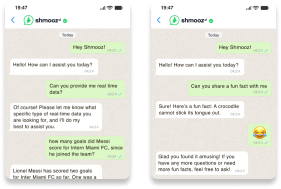
Want the words of a note you already recorded?
Shmooz can transcribe a voice note you send into this chat. We cannot play a recording that is still sitting in your composer, and we are not WhatsApp.
FAQ
The preview is a voice message you have not sent, on Android and on iPhone.
Can you listen to a WhatsApp voice note before sending it?
Yes. Open the chat, hold the microphone, and slide up to lock hands-free recording. Speak, tap Pause, then tap Play. On Android you can also tap, hold, and drag the recording to start at a point in it. On iPhone you can tap any part of the recording. If you let go of a press-and-hold, WhatsApp sends the message, so the preview is the hands-free draft.
How do I listen to a WhatsApp voice message before sending it on Android?
Open an individual or group chat. Tap and hold the microphone, then slide up to lock hands-free recording. Speak. Tap Pause. Tap Play. To start partway through, tap, hold, and drag the recording. Tap the trash icon to delete the draft, tap the microphone to keep recording the same voice message, or tap Send. The send article calls that continue control Microphone Resume and shows it as a red microphone. While you are still holding the microphone, slide left to cancel.
How do I preview a WhatsApp voice note before sending it on iPhone?
Open an individual or group chat. Tap and hold the microphone, then slide up to lock hands-free recording. Speak. Tap Pause. Tap Play. You can also tap any part of the recording to play it from that point. Tap the trash icon to delete the draft, tap the microphone to keep recording the same voice message, or tap Send. The send article calls that continue control Resume. While recording, slide to cancel and delete.
How do I delete a WhatsApp voice note or record it again before sending?
On the preview, tap the trash icon to delete the draft. On Android, slide left while holding the microphone to cancel. On iPhone, slide to cancel and delete while recording. Tapping the microphone after Pause continues the same recording. To start over, delete the draft, then hold the microphone and record again. WhatsApp Help uses re-record for a voice status update, not as a separate button on a chat draft.
Why can’t I hear or record my WhatsApp voice note before I send it?
Letting go of the microphone sends the message, so lock hands-free recording and tap Pause before you play it. If the start is missing, wait a second before you speak. If the recording disappears, restart the phone. Recording needs a Wi-Fi or cellular connection, microphone permission, and free storage. Update WhatsApp from the Play Store or the App Store. A case or screen protector can block the proximity sensor. If you hear nothing, turn the speaker volume up, take the phone off silent or vibrate, check a headset mute switch, and turn Bluetooth off when no wired headset is plugged in. The preview can play through the earpiece when the phone is against your ear.
Does listening to my WhatsApp voice note before I send it tell the other person?
The preview plays the draft on your phone. The message goes out when you tap Send, or when you let go of a press-and-hold, which sends it. Playing a voice message someone sent you is a different page, and so is checking whether someone played a note you already sent. Shmooz is a separate AI assistant inside WhatsApp. It cannot play a draft that is still in the message box, and it cannot change WhatsApp settings.

ALL Systems Operational