

WhatsApp is more than just a messaging app. It’s a powerful tool for organizing and managing community events. Whether you're planning a family gathering, a school meeting, or a business conference, WhatsApp helps bring people together easily. In this guide, you’ll learn how to create, customize, and manage group events efficiently.
Creating a WhatsApp Community Event
Starting an event in WhatsApp is simple. First, you need to create a group or a community. A community is a collection of related groups, which makes it perfect for organizing multiple events within a larger organization.
To create a group:
Open WhatsApp and tap on the three-dot menu.
Select "New Group."
Choose participants and set a group name.
Add a group icon to make it recognizable.
Tap "Create."
For larger gatherings, you can create a WhatsApp Community. This allows you to connect multiple groups under one umbrella, making event organization more structured.
Once your group or community is set up, you can start inviting people. Share the group link or add members manually. Be sure to explain the purpose of the group so everyone understands why they are part of it.
Read more : How to Send WhatsApp Messages Without Saving the Contact Number

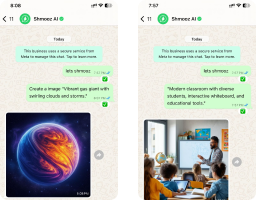
Enhance Your Communication with WhatsApp Ai
Create images, Make PDF summaries, and translate massages Upgrade your conversations today!
Customizing Your WhatsApp Event Group
Customizing your group helps keep things organized. Start by setting a clear group description. This should include the event name, date, time, and location. If your event is virtual, provide the meeting link.
You can also personalize the group settings:
Set Group Permissions: Limit who can send messages to avoid spam.
Pin Important Messages: Use the “star” feature to highlight key details.
Use Polls: Gather opinions on event details, like the best time to meet.
Create a Custom Group Icon: A unique image makes your event stand out.
A well-organized group keeps members engaged and informed. Use the "Announcements" feature to share updates without cluttering the chat.
Managing Your WhatsApp Event Group
Once your group is active, managing it well is key. Assign admins to help moderate discussions and answer questions. Keep the group focused by setting rules, such as:
No off-topic messages.
Respectful communication.
No unnecessary forwarding of unrelated content.
If your event has multiple parts, consider creating subgroups within a community. For example, a wedding event could have separate groups for planning, guests, and vendors.
Read more : How to Listen to a Voice Message on WhatsApp Without Showing Blue Ticks
Engaging Group Members Before the Event
Keep your group active by sharing updates, reminders, and engaging content. Use these strategies:
Send Reminders: Post event details regularly so members don’t forget.
Share Multimedia: Photos, videos, and voice messages keep the conversation lively.
Encourage Participation: Ask questions and prompt discussions to keep people involved.
Use WhatsApp Status: Post updates that group members can see without cluttering the chat.
Active engagement builds excitement and ensures a higher turnout on the event day.
Handling Last-Minute Changes
Unexpected changes happen, and WhatsApp makes it easy to handle them. If the venue or time changes, send a broadcast message to notify all attendees instantly. You can also update the group description and pin the new details for visibility.
For cancellations, inform members as soon as possible. Consider using WhatsApp voice messages to explain the situation quickly and clearly.
Read more : How to Use ChatGPT on WhatsApp
Following Up After the Event
After the event, keep the conversation going. Share photos, thank attendees, and ask for feedback. You can create a simple poll to gauge people’s experiences. If this was a recurring event, keep the group open for future updates.
If the event was a one-time gathering, you may choose to close the group. Let members know before doing so to avoid confusion.
Read more : How to Generate AI Images on WhatsApp
Conclusion
WhatsApp is a powerful platform for organizing community events. From creating a group to customizing and managing it effectively, you can make event planning smooth and engaging. By following these steps, you can ensure that your gatherings run successfully and keep your community connected.
Enhance Your Communication with WhatsApp Ai
Create images, Make PDF summaries, and translate massages Upgrade your conversations today!
Recommended articles for you!

How to Send WhatsApp Messages Without Saving the Contact Number
Learn how to send WhatsApp messages without saving numbers. Explore easy methods like Click-to-Chat, third-party apps, and more

How to Listen to a Voice Message on WhatsApp Without Showing Blue Ticks
Listen to WhatsApp voice messages without blue ticks! Here are easy methods to avoid arguments and keep your privacy. Learn more now

What is Meta AI and Its Impact on Social Media Experience
Discover what is Meta AI and how it transforms social media with smart chatbots offering personalized support, instant help, and global access.

ALL Systems Operational