
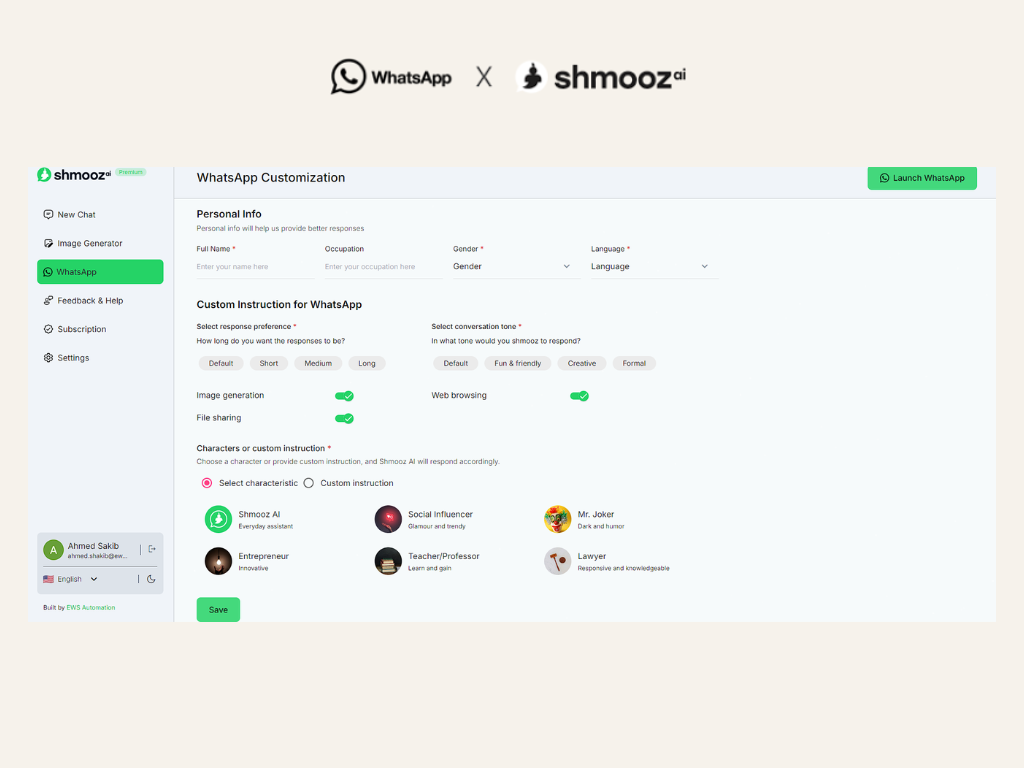
Customizing your chatbot can transform it into a helpful, engaging, and fun companion that feels just right for you. Whether you want quick answers, a specific tone, or even a unique personality, Shmooz makes it easy to tailor your WhatsApp chatbot to fit your preferences. In this guide, we'll show you how to customize your chatbot to make your interactions more enjoyable and personalized.
How to access Shmooz Custom Instruction
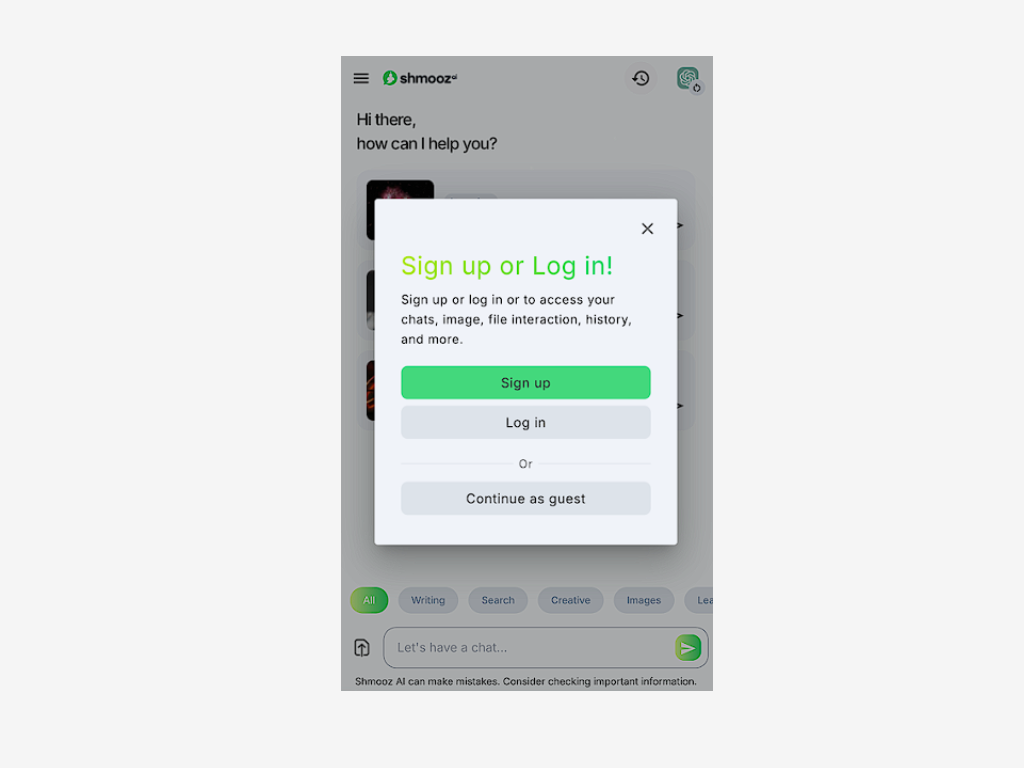
Sign Up
Begin by signing up on Shmooz using your email address.
Access the WebApp
After signing up, you will be automatically redirected to the Shmooz WebApp.
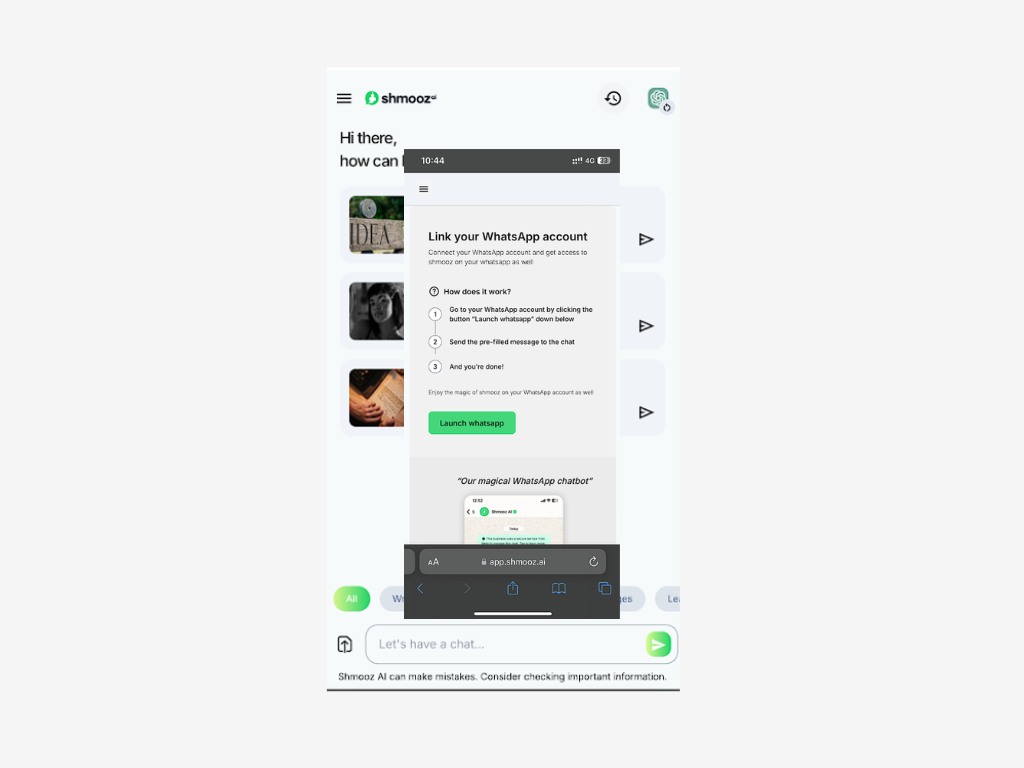
Navigate to the WhatsApp Area.
In the WebApp, locate and go to the WhatsApp area.
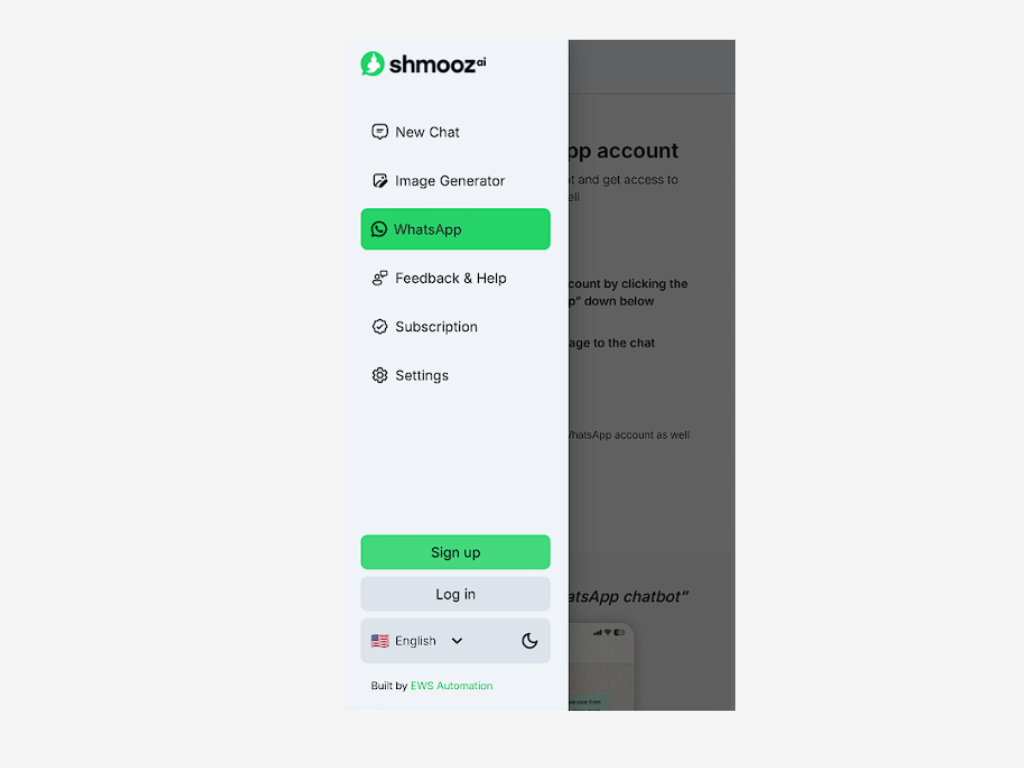
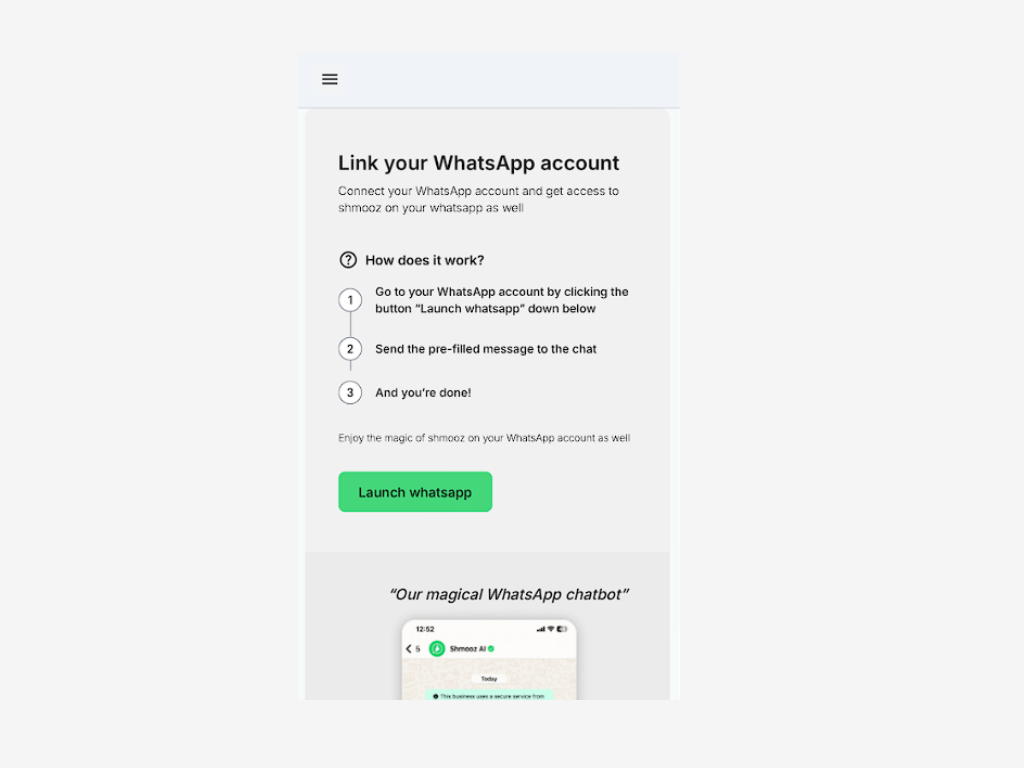
Launch WhatsApp
Within the WhatsApp area, click to launch WhatsApp.

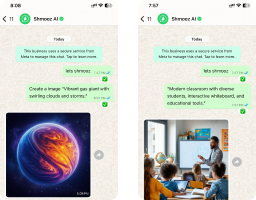
Experience AI on Web & WhatsApp
Designed for efficiency, a multi-platform, reliable AI for everyday tasks
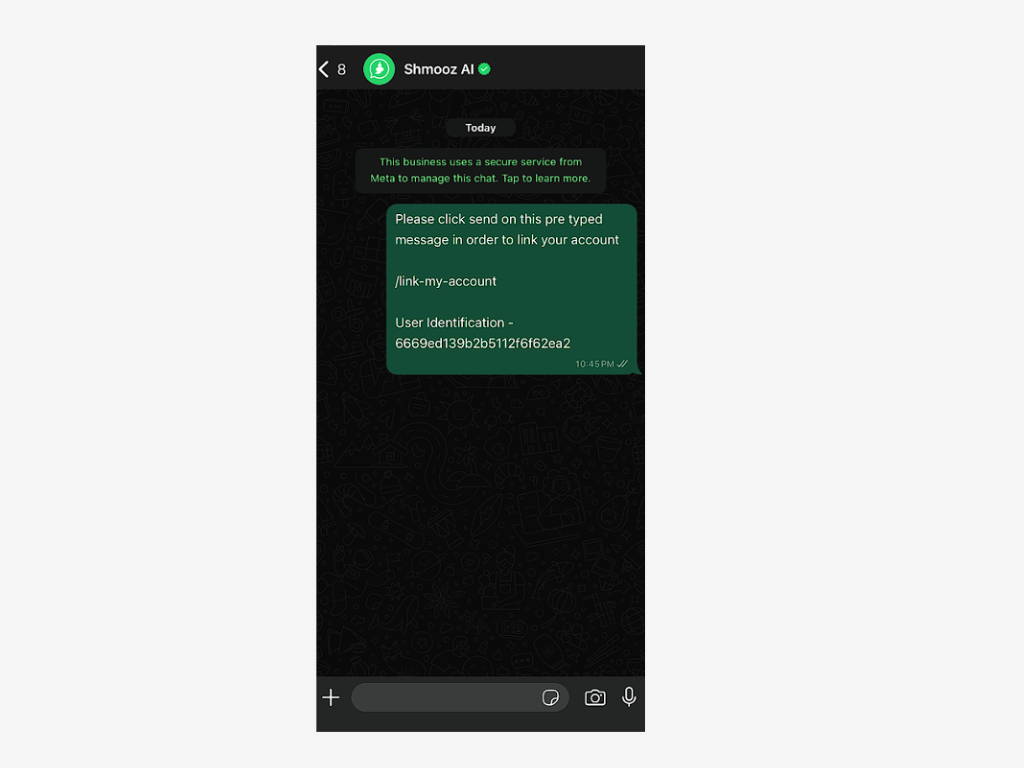
View WhatsApp Message
Once in WhatsApp, you’ll see a confirmation message indicating that the process is underway.
Return to WebApp
After viewing the WhatsApp message, return to the Shmooz WebApp.
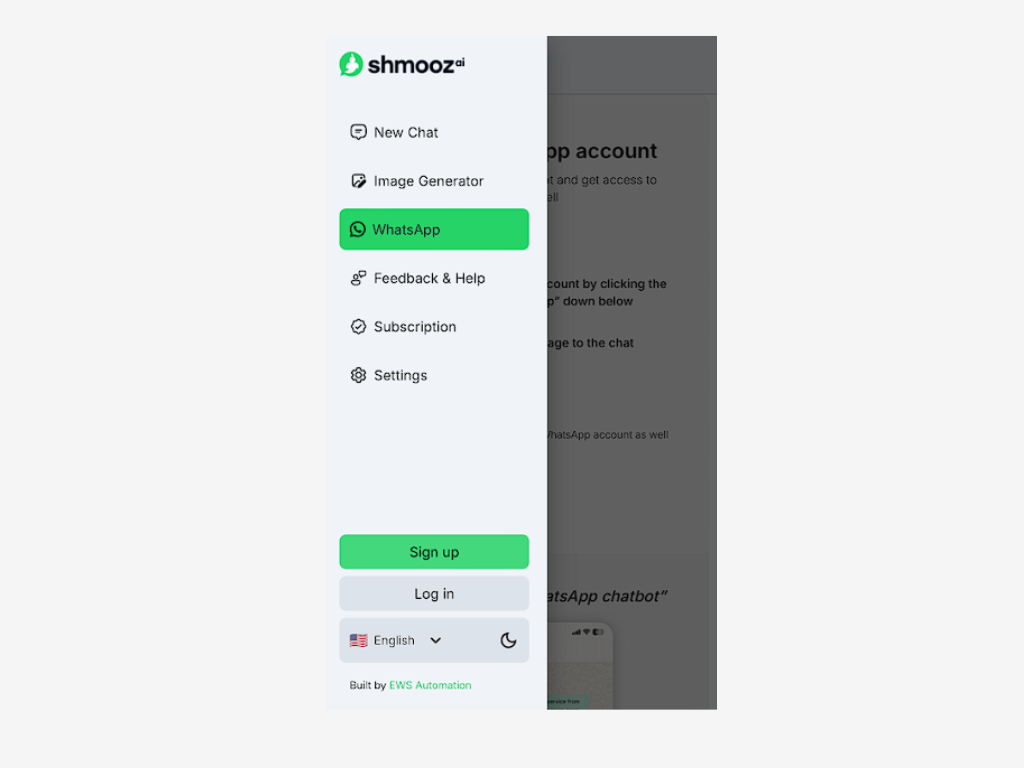
Access Custom Instructions
In the WebApp, revisit the WhatsApp section, where you will now find the "Custom Instruction" tab.
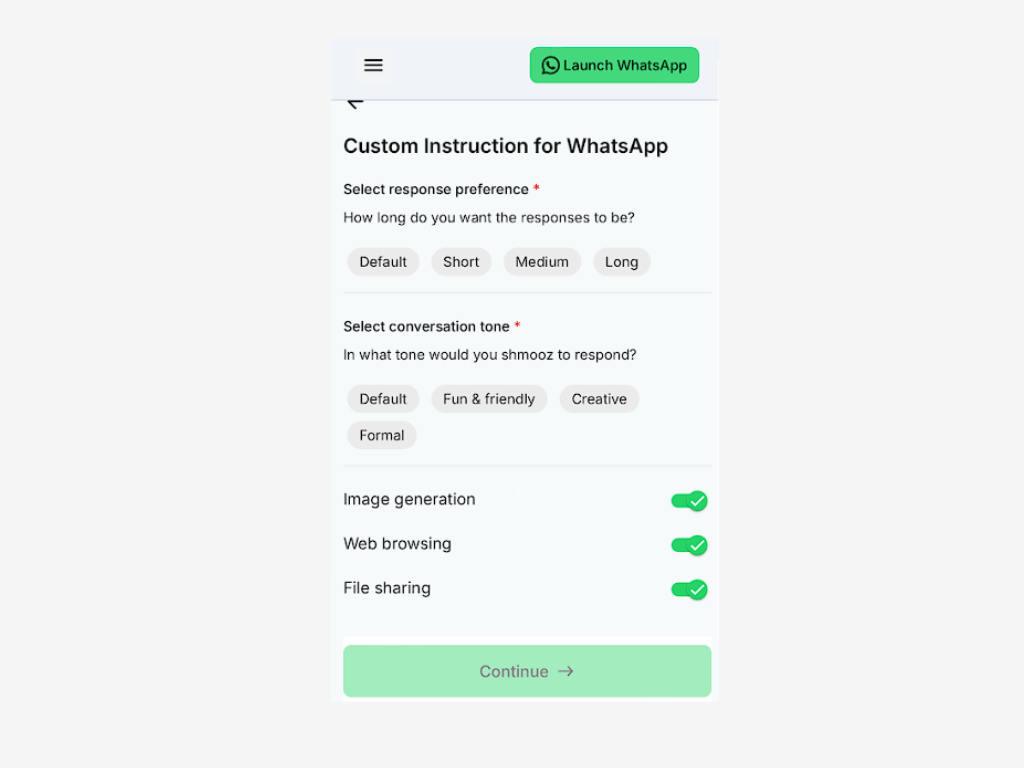
How to use Shmooz Custome Instruction
Select Response Preference: How Long Should Your Chatbot’s Replies Be?
One of the first steps in customizing your WhatsApp chatbot is deciding how long you want its responses to be. Shmooz offers three options: short, medium, and long responses. Each option works well for different situations, depending on how much detail you need.
Short Responses
Short responses are great when you want quick, straightforward answers. This option is perfect if you often find yourself asking simple questions like, "What's the weather today?" or "What time is it?" With short responses, your chatbot will give you the info you need without any extra fluff. For example, if you ask, "What's the weather today?" it might respond, "Today is cloudy weather." It’s efficient and to the point, perfect for when you’re in a hurry.
Medium Responses
Medium responses strike a balance between brevity and detail. This setting is ideal when you want a bit more context but don’t need an overly detailed explanation. For instance, if you ask, "How do I make a cup of coffee?" the chatbot might reply with, "Boil water, add a tablespoon of coffee to your cup, pour hot water, stir, and enjoy!" It gives you enough information to follow along without being overwhelming.
Long Responses
Long responses are best when you want a thorough explanation or more detailed guidance. This option is useful for learning new things or when you want to dive deeper into a topic. For example, if you ask, "Can you explain how to start a new hobby?" your chatbot might offer a step-by-step guide, giving you all the tips and advice you need to get started. Long responses are perfect for when you have time to read and really want to understand something fully.
Select Conversation Tone: Choose the Right Mood for Your Chatbot
Another important aspect of customizing your WhatsApp chatbot is selecting the conversation tone. Shmooz allows you to choose from three distinct tones: fun & Friendly, Creative, and Formal. Each tone brings a different flavor to your interactions, making your chatbot feel more like a real conversation partner.
Fun & Friendly
The Fun & Friendly tone is ideal if you want your chatbot to feel like chatting with a close friend. This tone is lighthearted and approachable, perfect for casual conversations or when you just want to keep things fun. Imagine asking your chatbot for movie recommendations, and it responds with, "Hey! In the mood for something funny? How about watching The Grand Budapest Hotel? It’s a real laugh!" This tone is great for everyday use, especially when you want to keep things upbeat and enjoyable.
Creative
The Creative tone is for when you want your chatbot to be a bit more imaginative and unique. This tone works well if you enjoy conversations that are a little out-of-the-box or if you’re looking for inspiration. For example, if you ask your chatbot for a recipe, it might reply, "How about whipping up a dreamy chocolate mousse? It’s like a cloud of cocoa bliss!" The Creative tone adds a touch of flair to your chats, making them more interesting and inspiring.
Formal
The Formal tone is best suited for when you need clear, professional communication. This tone is respectful and to the point, perfect for situations where you want to keep things serious and straightforward. If you ask your chatbot for advice on writing a formal letter, it might respond, "To whom it may concern, ensure your letter is concise and maintains a professional tone throughout." The Formal tone is great for when you want your chatbot to reflect a more serious, business-like approach
Choose a Character: Give Your Chatbot a Unique Personality
One of the most exciting parts of customizing your WhatsApp chatbot with Shmooz is choosing a character that embodies your chatbot’s personality. This feature allows you to create a chatbot that feels more personal and aligned with your preferences. Let’s explore some of the characters you can choose from and how they can make your chatbot truly unique.
Shmooz AI (Everyday Assistant)
The Shmooz AI character is like having an all-around helper who’s always ready to assist you with whatever you need. This character is perfect if you want a reliable and versatile chatbot that can handle a wide range of tasks, from setting reminders to answering general questions. It’s like having a personal assistant in your pocket, always there to help out whenever you need.
Social Influencer (Glamour and Trendy)
If you’re someone who loves keeping up with the latest trends and enjoys a bit of glamour, the Social Influencer character is for you. This character is trendy, stylish, and always in the know. Imagine asking your chatbot for fashion advice, and it responds with, "Let’s turn heads today! Pair that new jacket with skinny jeans and boots, and you’ll be the talk of the town!" It’s perfect for those who love a little flair and want their chatbot to reflect their fashionable side.
Mr. Joker (Dark and Humor)
Do you have a taste for dark humor and a bit of wit? Then Mr. Joker is the character for you. This chatbot character is full of clever comebacks and a playful, edgy personality. If you ask something like, "How’s the weather today?" Mr. Joker might reply, "It’s raining… just like my soul on a Monday." This character is great for those who enjoy a good laugh and like their chatbot to have a quirky, unconventional vibe.
Entrepreneur (Innovative)
The Entrepreneur character is ideal for those who are always thinking about the next big idea or project. This chatbot character is innovative, motivated, and full of insights. If you’re brainstorming ideas, the Entrepreneur might say, "Let’s turn that idea into a game-changer! Here are three ways to start making it happen." It’s like having a mentor who’s always ready to help you push your ideas forward.
Teacher/Professor (Learn and Gain)
If you’re someone who loves to learn and is always seeking knowledge, the Teacher/Professor character is your perfect match. This chatbot is informative, patient, and ready to teach you something new. Ask it about any topic, and it will provide a detailed, well-explained answer, helping you understand even the most complex subjects. It’s like having a knowledgeable tutor available anytime you need it.
Lawyer (Responsive and Knowledgeable)
For those who value precise, well-informed advice, the Lawyer character is a great choice. This character is all about providing clear, accurate information, especially for more serious topics. If you need advice on legal matters or just want straight answers, the Lawyer chatbot is there to guide you with professionalism and expertise.
Custom Character
If none of the predefined characters fully resonate with you, Shmooz gives you the option to create a custom character. This allows you to design a chatbot personality that is entirely your own, perfectly tailored to your preferences. Whether you want a chatbot that mimics your favorite TV character or one that speaks in a style unique to you, the custom character option lets you bring your ideas to life.
Customizing your WhatsApp chatbot for personal use with Shmooz is a fun and rewarding way to make your digital interactions more engaging and tailored to your style. By selecting the right response length, conversation tone, and character, you can create a chatbot that feels like a natural extension of your personality. Whether you want quick answers, a creative companion, or a knowledgeable assistant, Shmooz gives you the tools to make your chatbot just the way you like it. Start customizing today and enjoy a more personalized chatbot experience!
Experience AI on Web & WhatsApp
Designed for efficiency, a multi-platform, reliable AI for everyday tasks

ALL Systems Operational